数据库准备
我们先准备一个数据库和表,比如:
mybatisdb数据库
create table user(id int primary key auto_increment,name char(10),age int);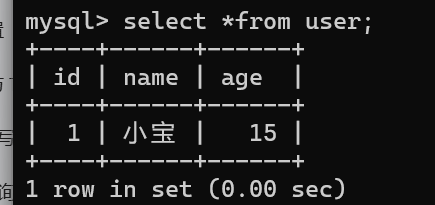
SpringBoot项目创建创建,需要依赖Spring Web,MyBatis Framework,MySQL Driver
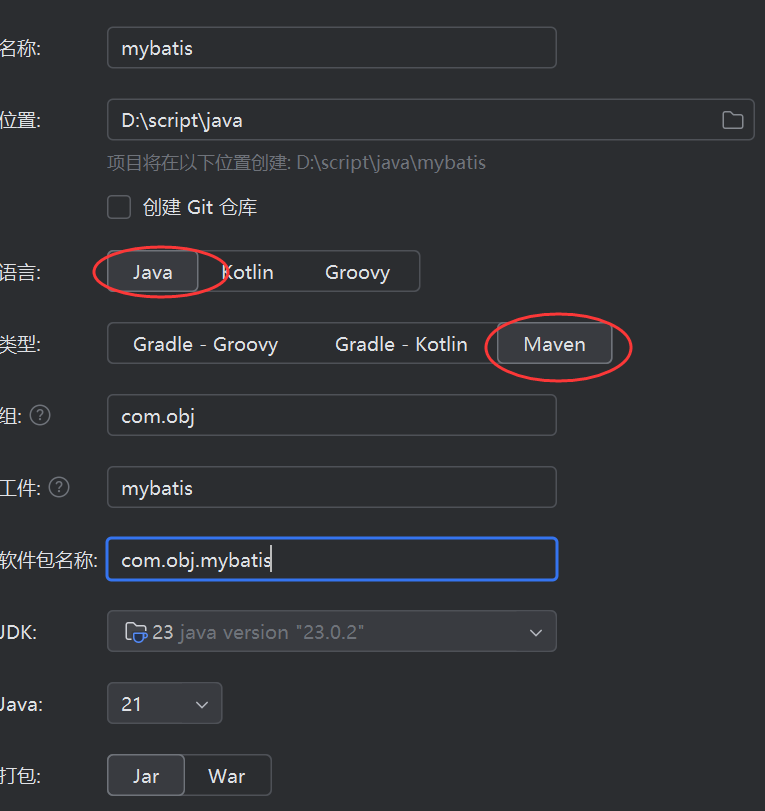
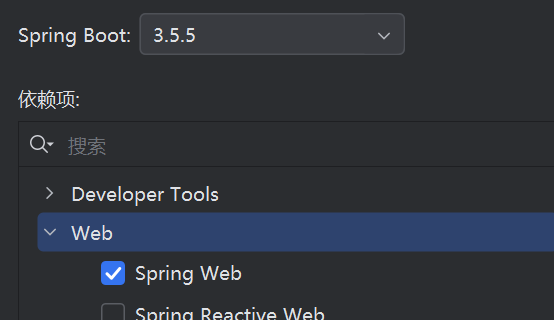
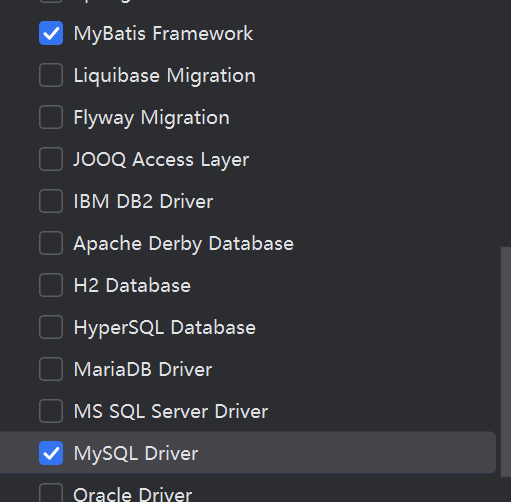
如下pom.xml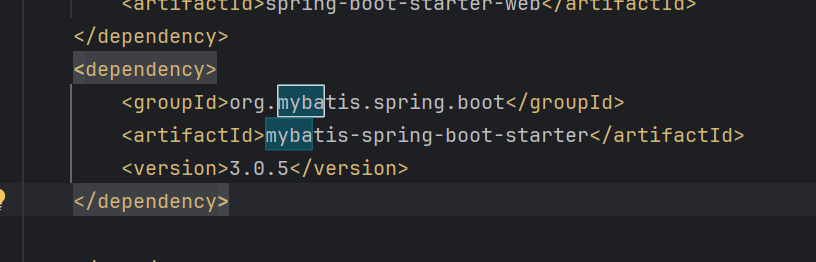
配置环境和使用方法
先在application.yml文件配置好mysql连接配置和mybatis的配置
spring:
  application:
    name: mybatis

  profiles:
    active: dev

  datasource:
    driver-class-name: com.mysql.cj.jdbc.Driver
    url: jdbc:mysql://${spring.datasource.host}:${spring.datasource.port}/${spring.datasource.database}?serverTimezone=Asia/Shanghai&useUnicode=true&characterEncoding=utf-8&zeroDateTimeBehavior=convertToNull&useSSL=false&allowPublicKeyRetrieval=true

mybatis:
  mapper-locations: classpath:mapper/*.xml
  type-aliases-package: com.obj.mybatis.entity
  configuration:
    map-underscore-to-camel-case: true #开启下划线转驼峰命名
    log-impl: org.apache.ibatis.logging.stdout.StdOutImpl # 打印 SQL 日志(开发环境用)
这里的
classpath:mapper/*.xml 就是xml文件目录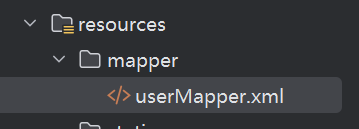
这里的type-aliases-package: com.obj.mybatis.entity 就是让mybatis的xml文件里面,
接收参数的parameterType不写全称的情况下,能识别到entity 下面的实体类
如果不写这个的话,那么就得写全称
不然的话,会找不到这个类型
application-dev.yml自己去配置
spring:
  datasource:
    driver-class-name: com.mysql.cj.jdbc.Driver
    host: localhost
    port: 3306
    database: mybatisdb
    username: root
    password: 123456
配置好以后
自己写个包存放接口,方法都是关于数据库操作的

以前的话,使用接口操作数据库可以使用注解来操作,比如查询
使用mybatis就可以动态的去对应的映射文件查询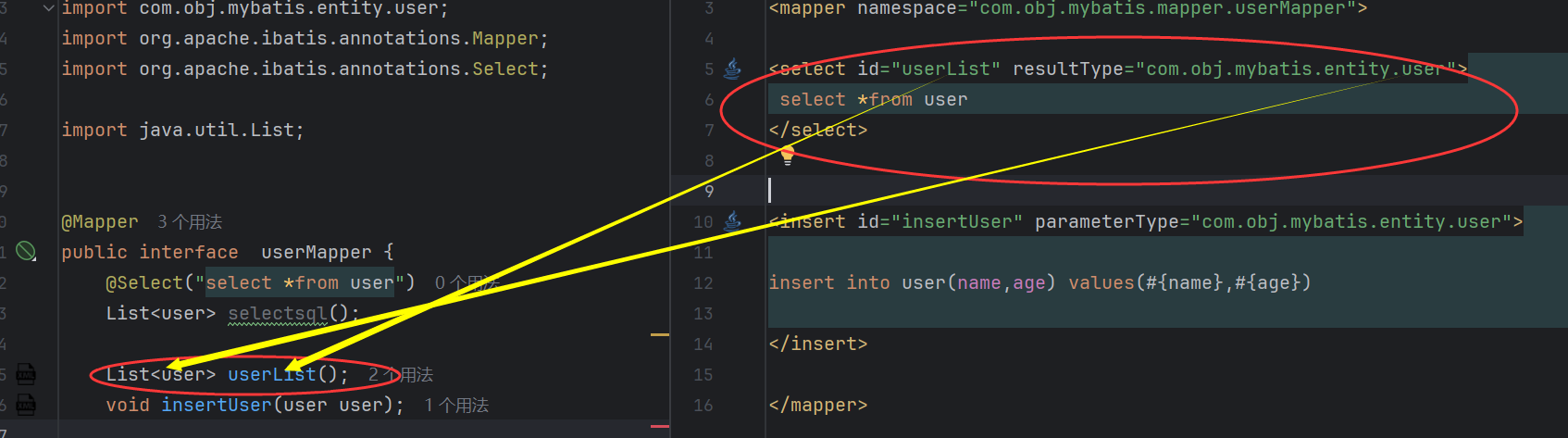
xml文件的编写和关联方法
在resource目录创建一个mapper文件夹,里面存放以后的xml
Mapper的xml固定结构
<?xml version="1.0" encoding="UTF-8" ?>
<!DOCTYPE mapper PUBLIC "-//mybatis.org//DTD Mapper 3.0//EN" "http://mybatis.org/dtd/mybatis-3-mapper.dtd" >
<mapper namespace="com.obj.mybatis.mapper.userMapper">

</mapper>
<mapper namespace=的namespace就是指定这个接口的位置,用来映射此文件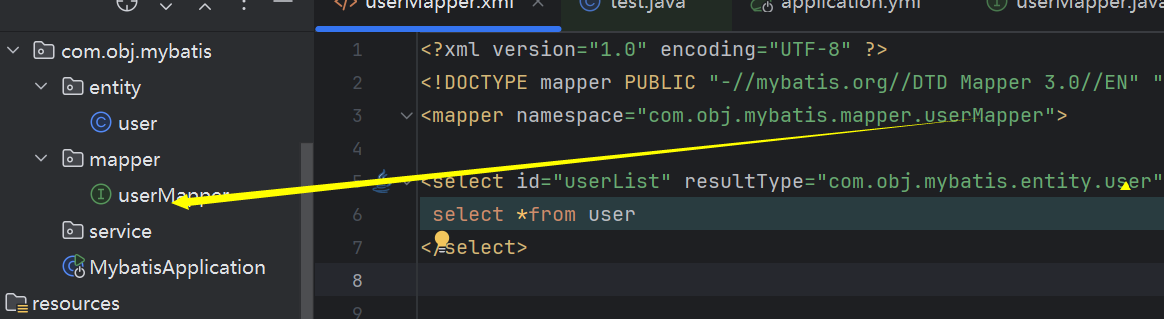
如果Mapper里面的xml的sql语句爆红,找不到表,那么IDEA连接一下数据库,不连接也不影响,只是会爆红和看不到一些提示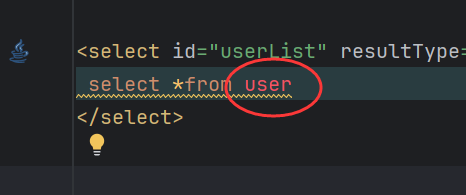
连接如下: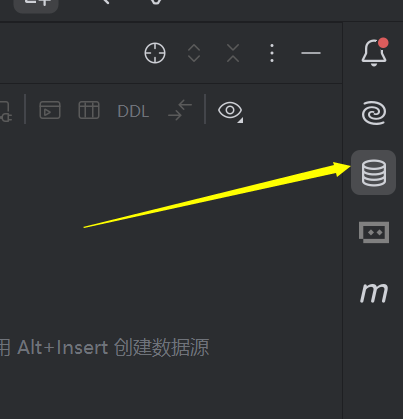
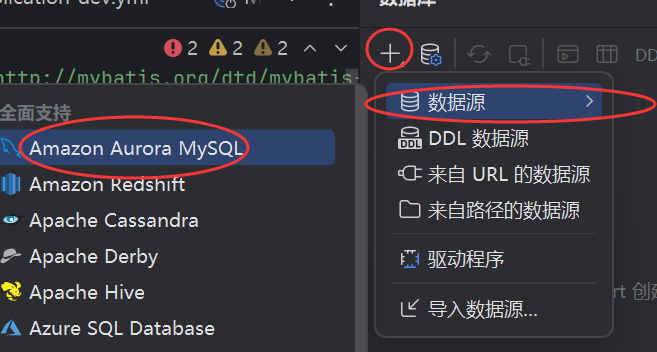
填好消息后测试能连接就直接应用,确定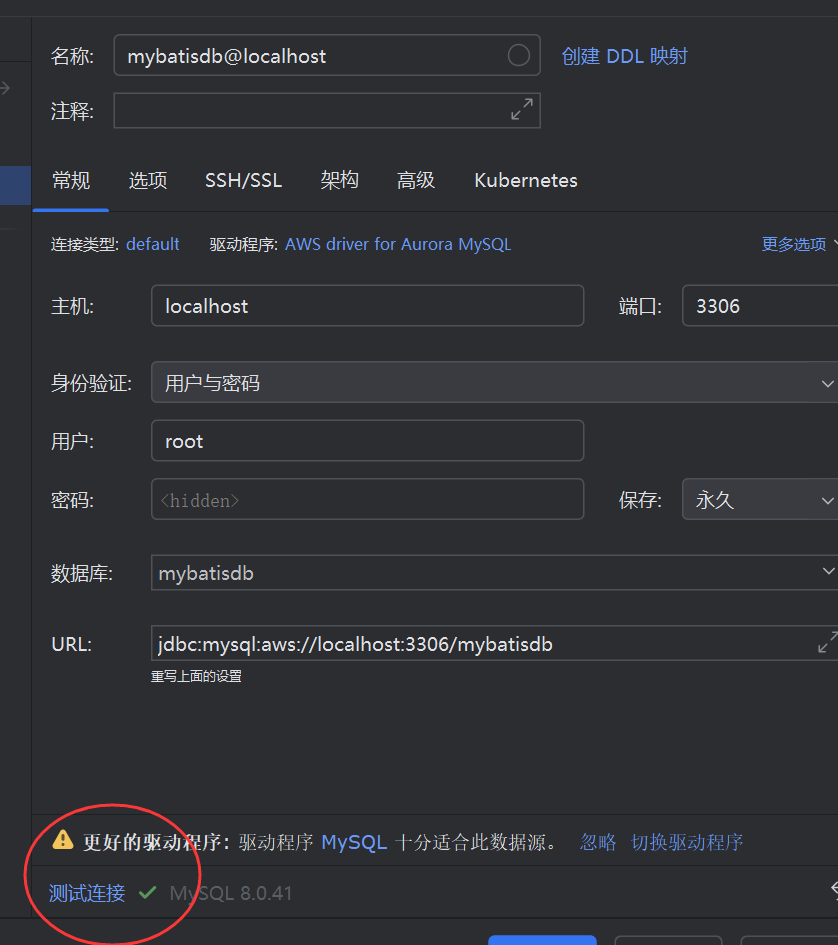
这样就不暴红了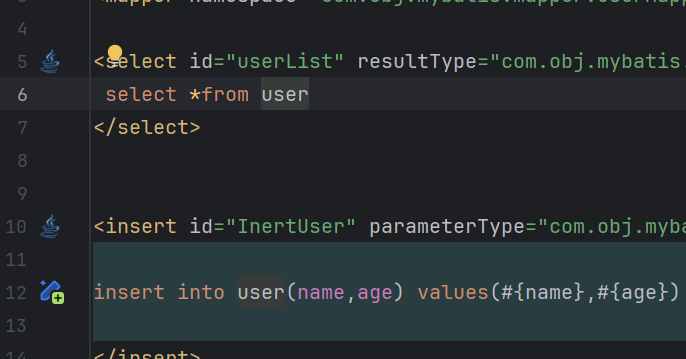
一些mybatis的使用语法
简单查询所有数据语句
其实这种简单的可以直接使用ibatis的注解上方写语句就行了,下面演示mybatis的
首先数据库表如下
创建一个接口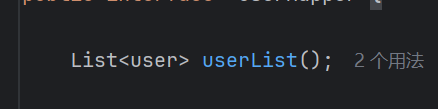
再到对应的xml文件编写语句
<select id="userList" resultType="com.obj.mybatis.entity.user">
 select *from user
</select>
这里的id (userList)就是接口的方法名称, resultType="com.obj.mybatis.entity.user"就是返回的结构类型
写一个测试类型测试
package com.obj.mybatis;
import com.obj.mybatis.entity.user;
import com.obj.mybatis.mapper.userMapper;
import org.junit.jupiter.api.Test;
import org.springframework.beans.factory.annotation.Autowired;
import org.springframework.boot.test.context.SpringBootTest;
import java.util.List;
@SpringBootTest
public class test {

    @Autowired
    private userMapper userMapper;

@Test
public void test(){
    List<user> list=userMapper.userList();
    System.out.println("======list======");
    for (user user : list) {
        System.out.println(user);
        System.out.println("======id======"+user.getId());
        System.out.println("======name======"+user.getName());
    }
}


}
测试类型使用@Autowired,所以需要先启动springboot项目来联系上下文,才能再测试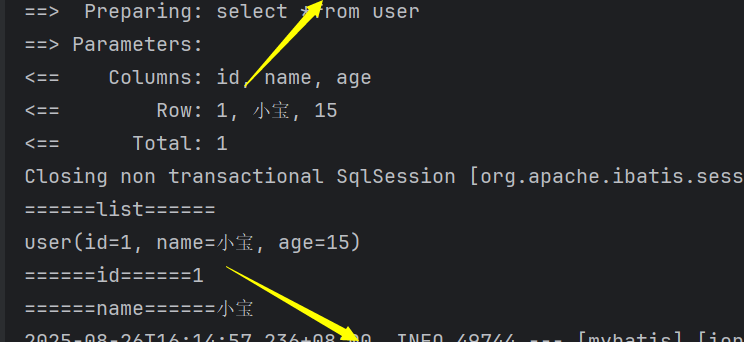
这个就是结果,上面的sql日志是因为之前在application.yml设置了
log-impl: org.apache.ibatis.logging.stdout.StdOutImpl才有的
动态查询
假设你有一个 “用户列表查询接口”,支持按 userId(用户 ID)、name(用户名)、age(年龄)筛选,且这三个参数都是非必填(用户可填可不填)。
如果不用
<!-- 错误写法:即使参数为 null,也会拼接条件,导致查询结果为空 -->
<select id="findUsers" resultType="User">
    SELECT * FROM user
    WHERE user_id = #{userId}  <!-- 若 userId 为 null,会变成 user_id = null,SQL 语法无效 -->
      AND name = #{name}      <!-- 若 name 为 null,同样无效 -->
      AND age = #{age}
</select>
用
<select id="findUsers" resultType="User">
    SELECT * FROM user
    <where>  <!-- <where> 标签会自动处理多余的 AND/OR -->
        <!-- 只有当 userId 不为 null 时,才拼接 "and user_id=#{userId}" -->
        <if test="userId != null">
            and user_id = #{userId}
        </if>
        <!-- 只有当 name 不为 null 且不为空字符串时,才拼接姓名条件 -->
        <if test="name != null and name != ''">
            and name like concat('%', #{name}, '%')  <!-- 模糊查询 -->
        </if>
        <!-- 只有当 age 不为 null 时,才拼接年龄条件 -->
        <if test="age != null">
            and age = #{age}
        </if>
    </where>
</select>
效果:
如果用户只传 userId=1 → SQL 为 SELECT * FROM user WHERE user_id = 1。
如果用户传 name="张三" → SQL 为 SELECT * FROM user WHERE name like '%张三%'。
如果用户传 age=20 且 name="李四" → SQL 为 SELECT * FROM user WHERE name like '%李四%' and age = 20。
如果用户什么都不传 → SQL 为 SELECT * FROM user(查询所有数据)。
好,再回到我们的数据库
 <select id="selects" resultType="com.obj.mybatis.entity.user">
select *from user
<where>
 <if test="name!=null">
and name=#{name}
 </if>
 <if test="age!=null">
  and age=#{age}
 </if>
</where>
 </select>
比如我们要查询,大王这个昵称的数据,另一个是查询大王,age为10的数据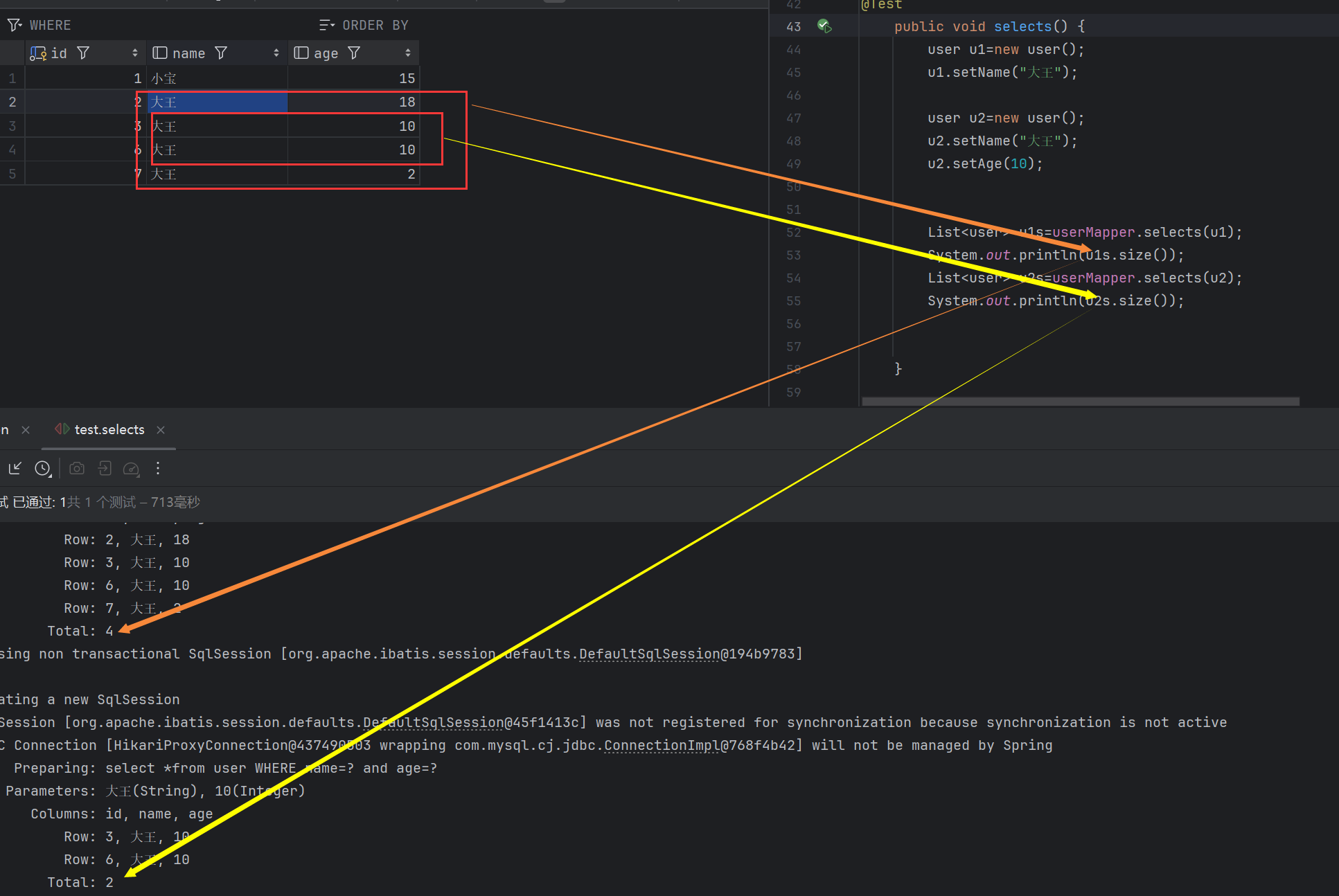
如果不使用动态条件查询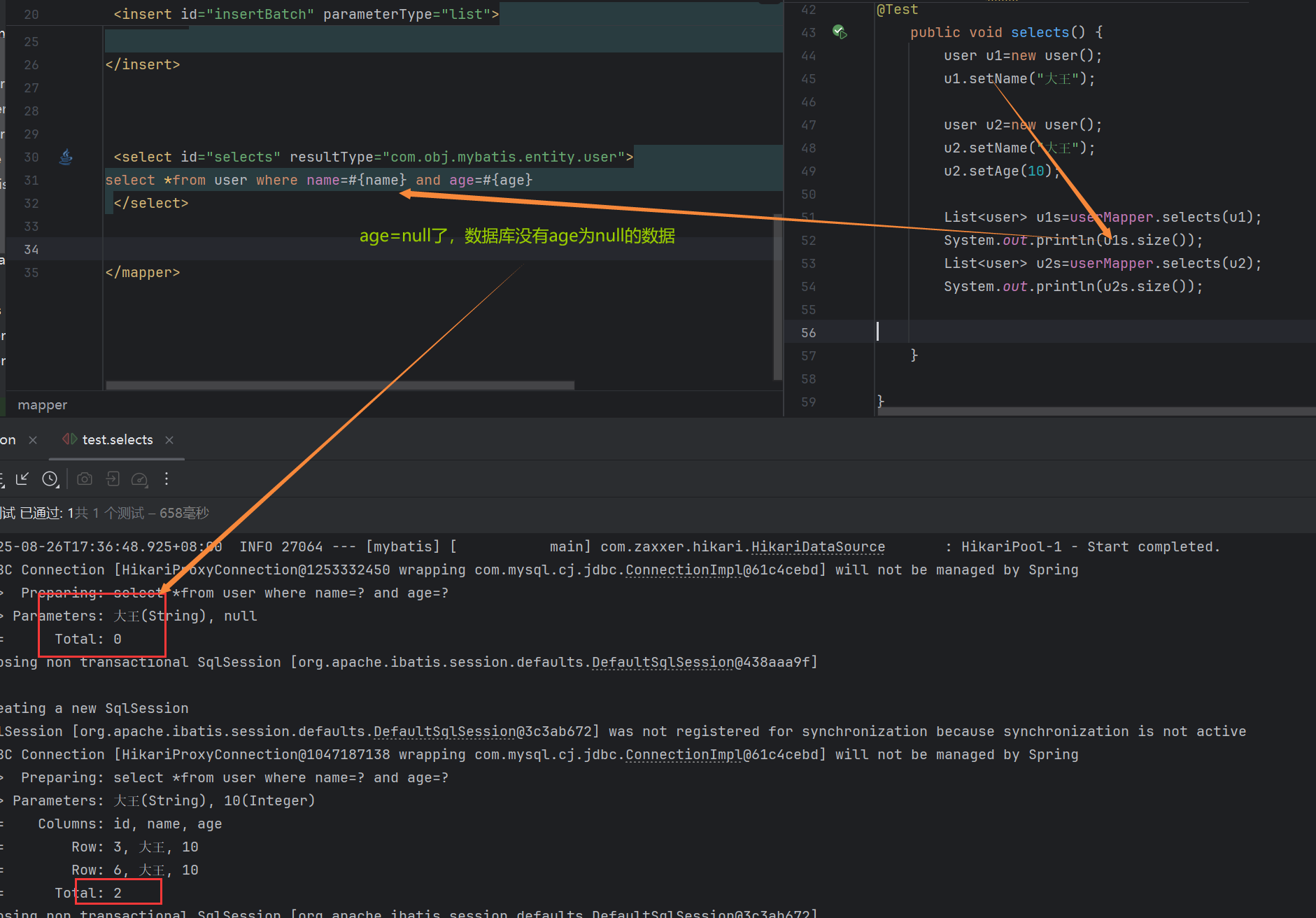
单条数据插入
<insert id="insertUser" parameterType="com.obj.mybatis.entity.user">
insert into user(name,age) values(#{name},#{age})
</insert>
参数实体类型
下方使用#{参数名称}来接收实体类里面的参数
运行测试结果
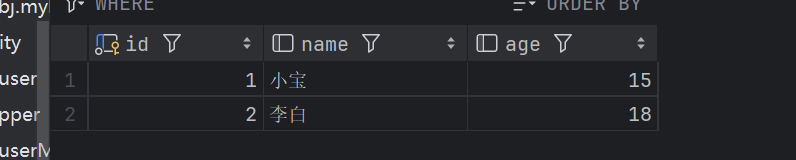
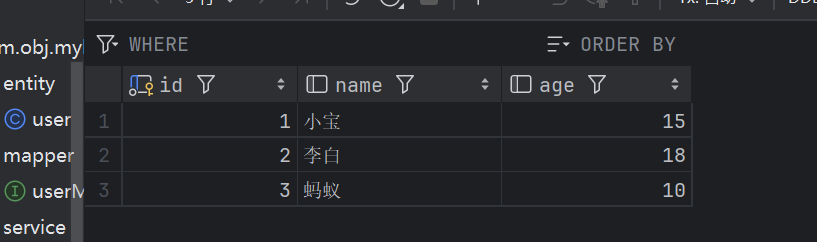
如果不使用实体类来接收参数,那么可以在接口那边使用@Param来指定参数,然后在#{name}接收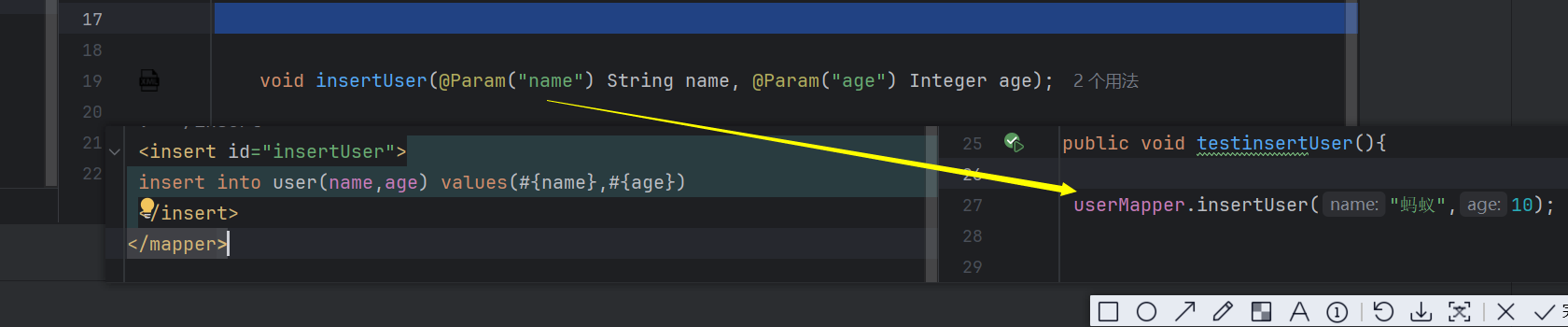
批量操作(如插入)
 <insert id="insertBatch" parameterType="java.util.List">
 insert into user(name,age) values
<foreach collection="list" item="else_name" separator=",">
(#{else_name.name},#{else_name.age})
</foreach>
</insert>
这里的以List数据为例
parameterType="java.util.List"是接收的数据类型,也可以写成别名 parameterType="list">
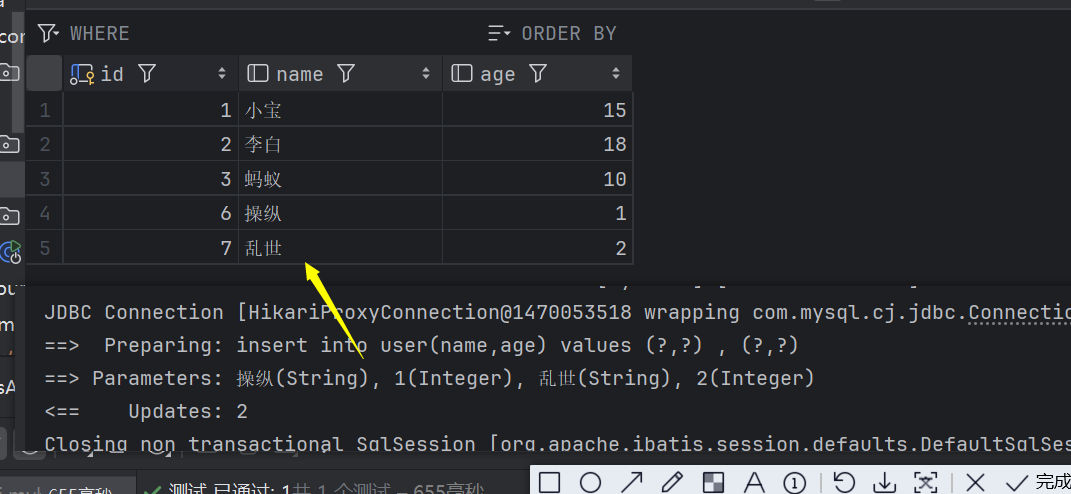
使用foreach来遍历容器,这个容器就是list同上,然后遍历的每一个对象使用item="else_name" 命名,操作完一条数据以后,使用separator=","来在sql语句后方加一个,间隔.如insert into user(name,age) values (?,?) , (?,?)
下方(#{else_name.name},#{else_name.age})就是取出每一个遍历子对象的对应元素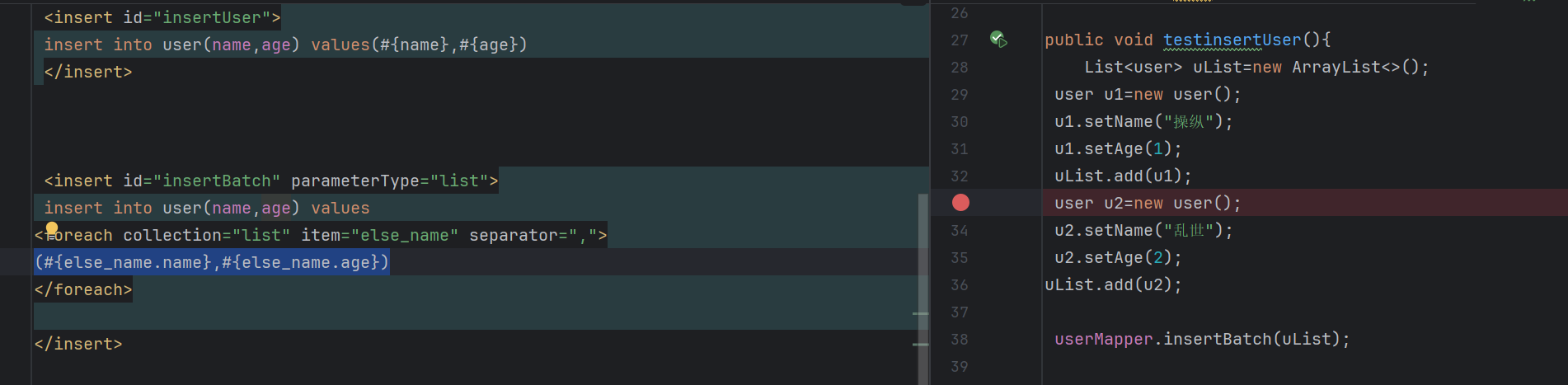
一些xml标签
resultMap
为什么需要 resultMap 标签?
resultMap 的核心作用是定义数据库字段与 Java 实体类属性之间的映射关系,主要解决两类问题:字段名与属性名不一致数据库表字段通常使用下划线命名(如 create_time),而 Java 实体类常用驼峰命名(如 createTime)。虽然可以通过配置 map-underscore-to-camel-case: true 自动转换简单场景,但复杂场景(如字段名与属性名完全不同,如 db_name 对应 userName)仍需 resultMap 手动映射。
复杂关联查询当查询涉及多表关联(如一对一、一对多)时,需要通过 resultMap 定义关联关系(如 association 映射单个对象、collection 映射集合),MyBatis 才能正确将查询结果封装为嵌套对象。
<?xml version="1.0" encoding="UTF-8"?>
<!DOCTYPE mapper PUBLIC "-//mybatis.org//DTD Mapper 3.0//EN" "http://mybatis.org/dtd/mybatis-3-mapper.dtd">
<mapper namespace="com.xy.mybatisapdemo.mapper.UserMapper">

    <resultMap id="UserResultMap" type="com.xy.mybatisapdemo.entity.User">
        <id column="id" property="id"/>
        <result column="name" property="name"/>
        <result column="age" property="age"/>
        <result column="email" property="email"/>
        <result column="create_time" property="createTime"/>
        <result column="update_time" property="updateTime"/>
    </resultMap>
    <select id="findAll" resultMap="UserResultMap">
        select * from user
    </select>

</mapper>
注意引用的时候是使用resultMap="UserResultMap",而resultType是指向实体类


评论已关闭